The problem
To-do apps lose to the cost of switching to them. The list lives in a tab or a separate window, so checking it means breaking focus, and breaking focus means the list quietly stops getting used. Menu-bar apps fix visibility but hide everything behind a click. I wanted my tasks to be persistently there: always visible, always one glance away, without stealing screen real estate or attention.
What I built
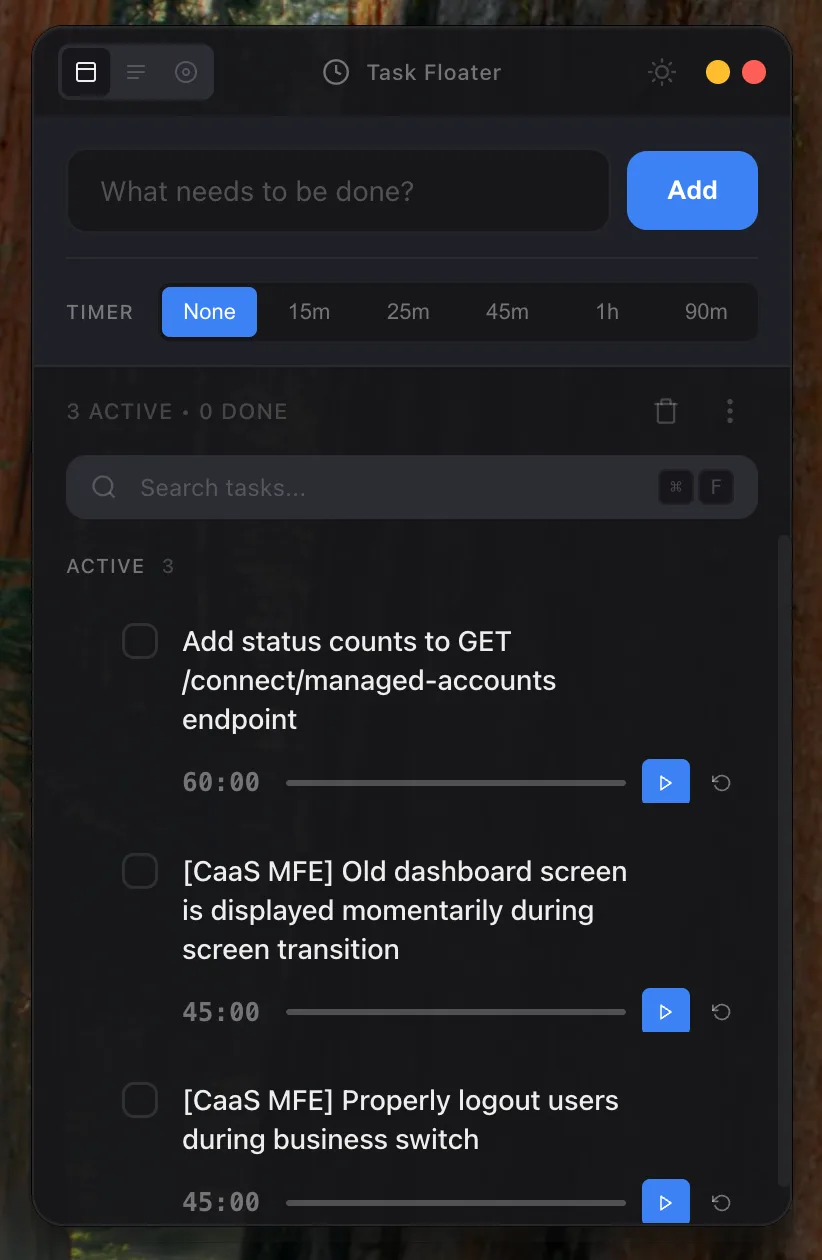
Task Floater is a small, always-on-top window that floats over your work. It is translucent glassmorphism, so it sits on top of your editor without feeling heavy, and it stays out of the way until you need it. Add a task, check one off, start a focus timer, all without leaving what you were doing.
Focus timer
A built-in timer turns any task into a focus session, so starting work and tracking it happen in the same place.
Modes for every context
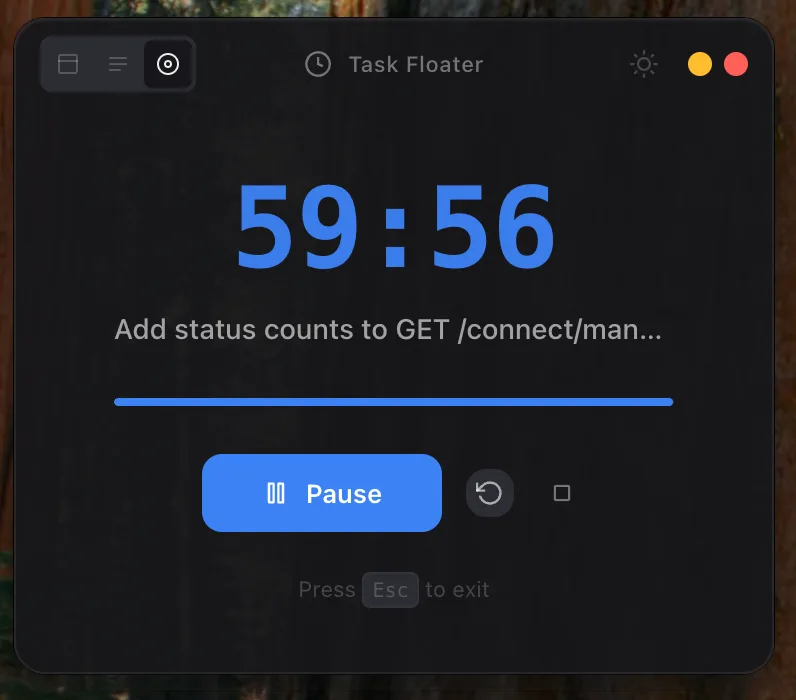
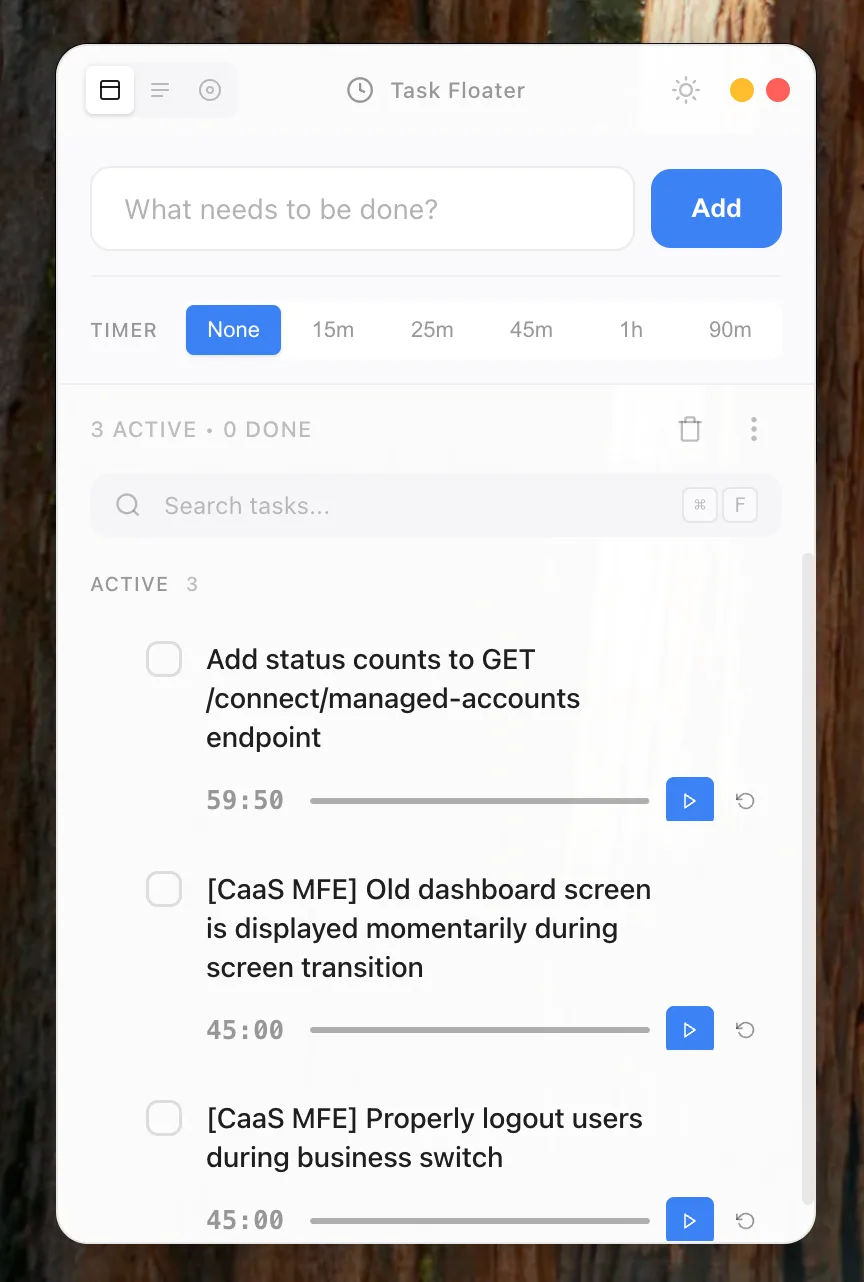
A full view for planning, a compact mode that shrinks to just your active tasks, and a focus mode that strips everything down to the one thing you are doing right now. Full light and dark theming adapts to your desktop.
Tech stack
| Layer | Technology | Why |
|---|---|---|
| Shell | Electron 28 | Native always-on-top window, tray APIs |
| Language | TypeScript | Type safety across main and renderer |
| OCR | Tesseract | Pull tasks out of screenshots and images |
| Platform | macOS 10.13+ | Vibrancy and window-level integration |
What building this taught me
Always-on-top is a UX problem, not a flag
Setting a window to float is one line. Making a floating window pleasant is the actual work: it cannot grab focus when you click it, it has to stay subtle enough not to distract, and it needs to respect full-screen apps and Spaces. The window-level behavior took far more iteration than the task logic.
Glassmorphism earns its keep here
I usually treat heavy blur as decoration to avoid. For an overlay that sits permanently on top of other windows, translucency is functional: it keeps the app present without fully occluding what is behind it, so the floater informs without blocking.
Less surface, more use
Every mode I added was about removing, not adding. Compact mode and focus mode exist because the full view is too much when you are heads-down. The app gets more useful the smaller it gets.
Links
- GitHub: task-floater