The problem
Most Chinese learning apps either bury you in flashcards or hand you textbook drills that never stick. The two hardest parts of the language are writing characters in the correct stroke order and hearing the difference between tones, and both need practice that feels physical rather than multiple-choice.
Duolingo skips handwriting entirely, and the apps that include it treat it as a side feature. None of them let you drop in real Chinese, a news article or a WeChat message, and learn straight from that.
What I built
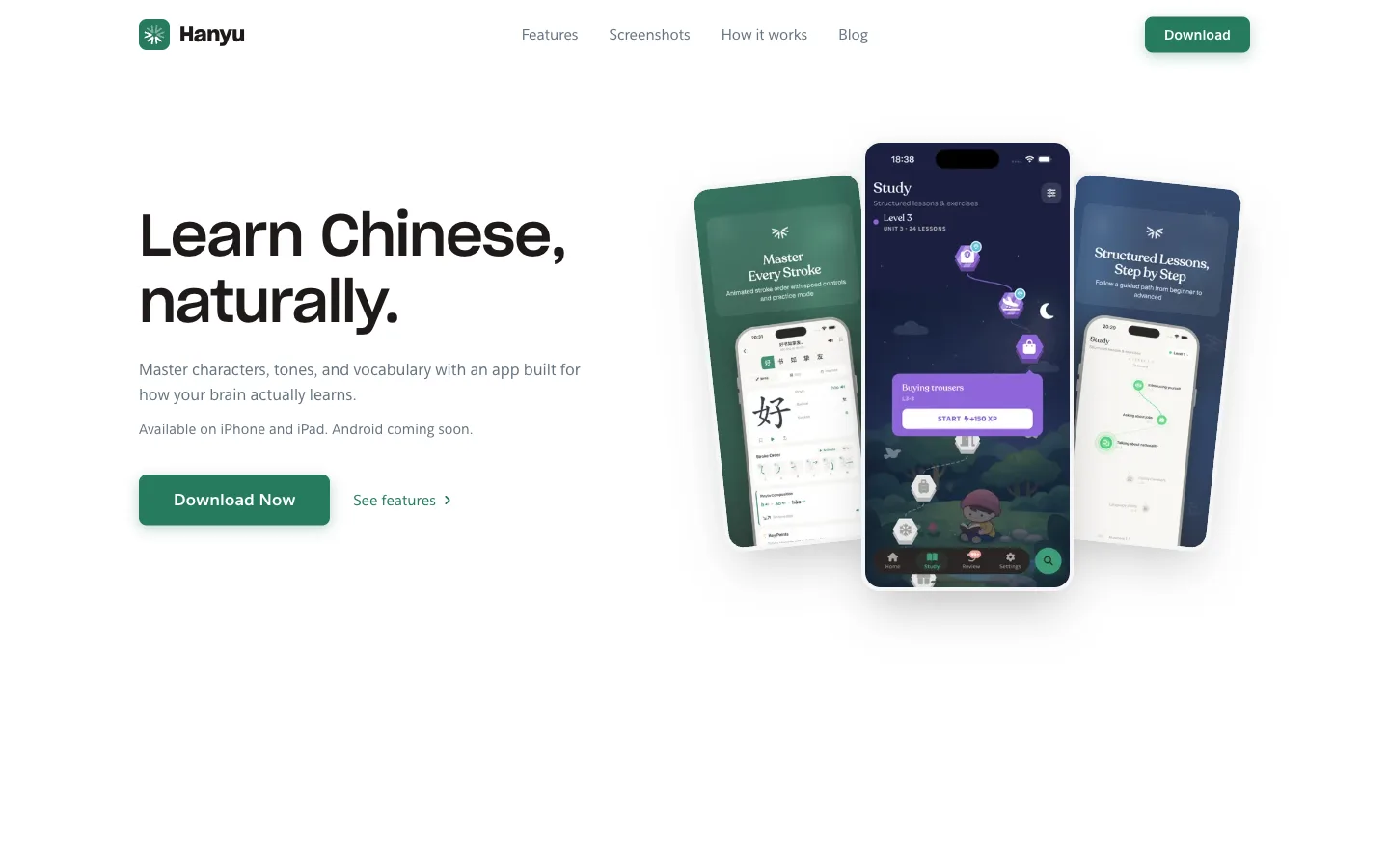
Hanyu is a Chinese learning app built twice: once as a React Native (Expo) app for cross-platform reach, and once as a native iOS app (SwiftUI) for platform-native performance. Both share the same learning model but have distinct architectures.
Core features
- Draw characters with your finger. The app checks each stroke's order, shape, and direction as you go, and offers a hint after 3 missed strokes.
- Tone practice: hear a character, tap the tone you heard, 1st through 4th. Pronunciation comes from on-device TTS.
- SM-2 spaced repetition. Cards come back based on how well you knew them, graded Again, Hard, Good, or Easy, adjusting interval and ease factor.
- A reader that takes any Chinese text or URL, tokenizes it with Forward Maximum Matching against a 111k-entry CEDICT dictionary, shows inline pinyin, colors words by HSK level, and defines any word you tap.
- HSK 1 to 6 lessons, each running vocabulary, then grammar, then text, then a test.
- Exercises in several shapes: character writing, tone drills, matching pairs, fill-in-the-blank, multiple choice.
- Collections for saved words, sentences, and phrases, with lesson content auto-saved to timestamped sets.
- Progress tracking through XP, daily streaks, mastery levels from New to Mastered, and daily goals you set yourself.
Tech stack
React Native app (Expo)
| Layer | Technology | Why |
|---|---|---|
| Framework | Expo SDK 54 (React Native) | Managed workflow, OTA updates, cross-platform |
| Language | TypeScript (strict) | Type safety across 217 source files |
| Routing | Expo Router | File-based routing matching web conventions |
| State | Zustand (9 stores) | Lightweight, persistent via AsyncStorage |
| Styling | NativeWind (Tailwind) | Utility-first on React Native |
| Characters | @jamsch/react-native-hanzi-writer | Stroke order rendering and quiz validation |
| Dictionary | expo-sqlite + CEDICT | 111k entries, 19MB, FTS5 search |
| Backend | Firebase (Auth, Firestore) | Auth, progress sync, content delivery |
| TTS | Expo Speech + ElevenLabs | On-device and premium voice options |
| Animations | React Native Reanimated | 60fps gesture-driven animations |
Native iOS app (SwiftUI)
| Layer | Technology | Why |
|---|---|---|
| Framework | SwiftUI + Combine | Native performance, declarative UI |
| Architecture | Clean Architecture | Testable, fork-friendly separation |
| Characters | HanziKit (custom Swift actor) | Thread-safe decomposition, dictionary, linguistic analysis |
| Backend | Firebase (Auth, Firestore) | Shared backend with web app |
| Payments | RevenueCat | Cross-platform subscription management |
| Analytics | Firebase Analytics + Crashlytics | Crash reporting and usage tracking |
Architecture
HanziKit, the character analysis engine on iOS
The iOS app includes HanziKit, a Swift actor I wrote to replace the JavaScript character analysis libraries:
@MainActor
final class HanziKit {
    // Three levels of character decomposition
    func decompose(_ character: String, level: DecompositionLevel) -> [Component]
    // Dictionary with 100k+ CEDICT entries
    func lookup(_ query: String) -> [DictionaryEntry]
    // Chinese word boundary detection
    func segment(_ text: String) -> [String]
}
It decomposes at three levels. Once gives first-level components (我 becomes 手 and 戈), Radical goes down to the lowest Kangxi radicals with their meanings, and Graphical breaks everything into primitive strokes.
Data loading runs through a Chain of Responsibility:
- LRU in-memory cache (1000 decomposition / 500 dictionary entries)
- Bundled data fallback
- Firebase remote updates
The text tokenizer on web
The reader segments Chinese into words with Forward Maximum Matching:
// Max word length 8 characters, longest match first
// "我今天很高兴" → ["我", "今天", "很", "高兴"]
Dictionary lookups are batched in 500-item chunks against a local SQLite CEDICT database with FTS5 indexing for fast prefix and full-text search.
Spaced repetition (SM-2)
Both platforms share the same SM-2 implementation:
| Grade | Interval | Ease factor |
|---|---|---|
| Again (0) | Reset to 0 | × 0.8, lapses++ |
| Hard (1) | × 1.2 | × 0.85 |
| Good (2) | × ease factor | unchanged |
| Easy (3) | × ease factor × 1.3 | + 0.15 |
Cards are stored with srsNextReview, srsInterval, srsEaseFactor, and srsLapses. Due items are filtered by nextReview <= now.
State management on web
Nine Zustand stores cover the app state, all persisted to AsyncStorage:
| Store | Purpose |
|---|---|
| CollectionStore | Saved items, SRS state |
| ProgressStore | XP, streaks, daily activity |
| StudyStore | Lesson data and progress |
| SettingsStore | Theme, haptics, preferences |
| ReaderStore | Article cache, reading progress |
| ConversationStore | Multi-turn dialogue state |
Clean Architecture on iOS
Presentation (SwiftUI Views + ViewModels)
    ↓
Domain (Protocols, Use Cases, Entities)
    ↓
Data (Repositories, Providers, Firebase)
Dependency injection through DIContainer keeps every layer testable and mockable. The LearningUnit protocol abstracts character data, so the same app can be forked for Japanese (JLPT) or Korean (Hangeul).
What building this taught me
1. Stroke order is a rendering problem, not a data problem
Getting HanziWriter to work well required understanding SVG path parsing, stroke classification (horizontal, vertical, dot, turning), and tolerance tuning. Setting leniency to 1.2× made the difference between frustrating and satisfying writing practice. Too strict and users quit; too loose and they don't learn.
2. Building the same app twice reveals what matters
Having a React Native version and a SwiftUI version of the same concept showed me that about 70% of the value sits in domain logic (the SRS algorithm, the tokenizer, exercise generation) and 30% in platform-specific UI. The iOS version's protocol-based Clean Architecture made it easy to fork, while the React Native version's component approach made it faster to iterate on.
3. A local dictionary changes everything
Shipping a 19MB SQLite CEDICT database locally means the reader works offline, lookups are instant, and there's no API rate limiting. FTS5 indexing makes even 111k-entry searches feel like autocomplete. The tradeoff (app size) is worth it for a language learning app where offline access matters.
4. SM-2 needs grade design, not just the algorithm
The SM-2 math is simple. The hard part is deciding what "Again" vs "Hard" vs "Good" means for different exercise types. A wrong tone drill answer isn't the same difficulty signal as failing to draw a stroke. I ended up writing exercise-specific grading functions that all map onto the same 0 to 3 scale.
What I would do differently
I would start with the native iOS version. Expo is excellent for iteration speed, but handwriting recognition and character rendering both feel noticeably better in SwiftUI with the HanziKit actor behind them. In a learning app where the tactile part is the point, native earns its upfront cost.
Links
- Website: hanyu.app